
VMware virtualization keeps critical applications running 24/7, but even the most resilient infrastructure is vulnerable to hardware failure, ransomware, or human error. A single incident can trigger costly downtime, regulatory penalties, and loss of customer trust. That’s why a strong backup and replication strategy for VMware is non-negotiable.
Why Backup and Replication Are Essential
1. Business Continuity Unexpected outages can cripple operations. Reliable VMware backups combined with real-time replication keep critical workloads available and reduce recovery time from hours to minutes.
2. Ransomware Protection Immutable, off-site copies ensure that even if primary systems are encrypted, data can be restored quickly and cleanly.
3. Compliance and Audit Readiness Industries governed by regulations like GDPR, HIPAA, or ISO standards require verifiable, tamper-proof backups to avoid penalties and maintain customer trust.
Everything You Need for VMware Backup and Recovery
Protecting your virtual infrastructure doesn’t have to be complex. NAKIVO Backup & Replication delivers a complete VMware backup and recovery solution designed for speed, reliability, and peace of mind. Here’s how it keeps your data center safe and always recoverable.
Advanced, Agentless VM Backup
NAKIVO uses VMware’s native snapshot technology and deep integrations to provide agentless backups. This approach reduces overhead, simplifies management, and ensures reliable protection for every virtual machine in your environment.
Fast, Incremental Backups
With VMware Changed Block Tracking (CBT), NAKIVO captures only the data blocks that have changed since the last job. The result? Faster, application-consistent backups that minimize impact on performance and storage.
Application-Aware Consistency
Enable application-aware mode to ensure transactional consistency across critical workloads like Microsoft Exchange, Active Directory, and SQL Server. Your backup data remains clean and ready for a swift, hassle-free restore.
Flexible, Multi-Destination Storage
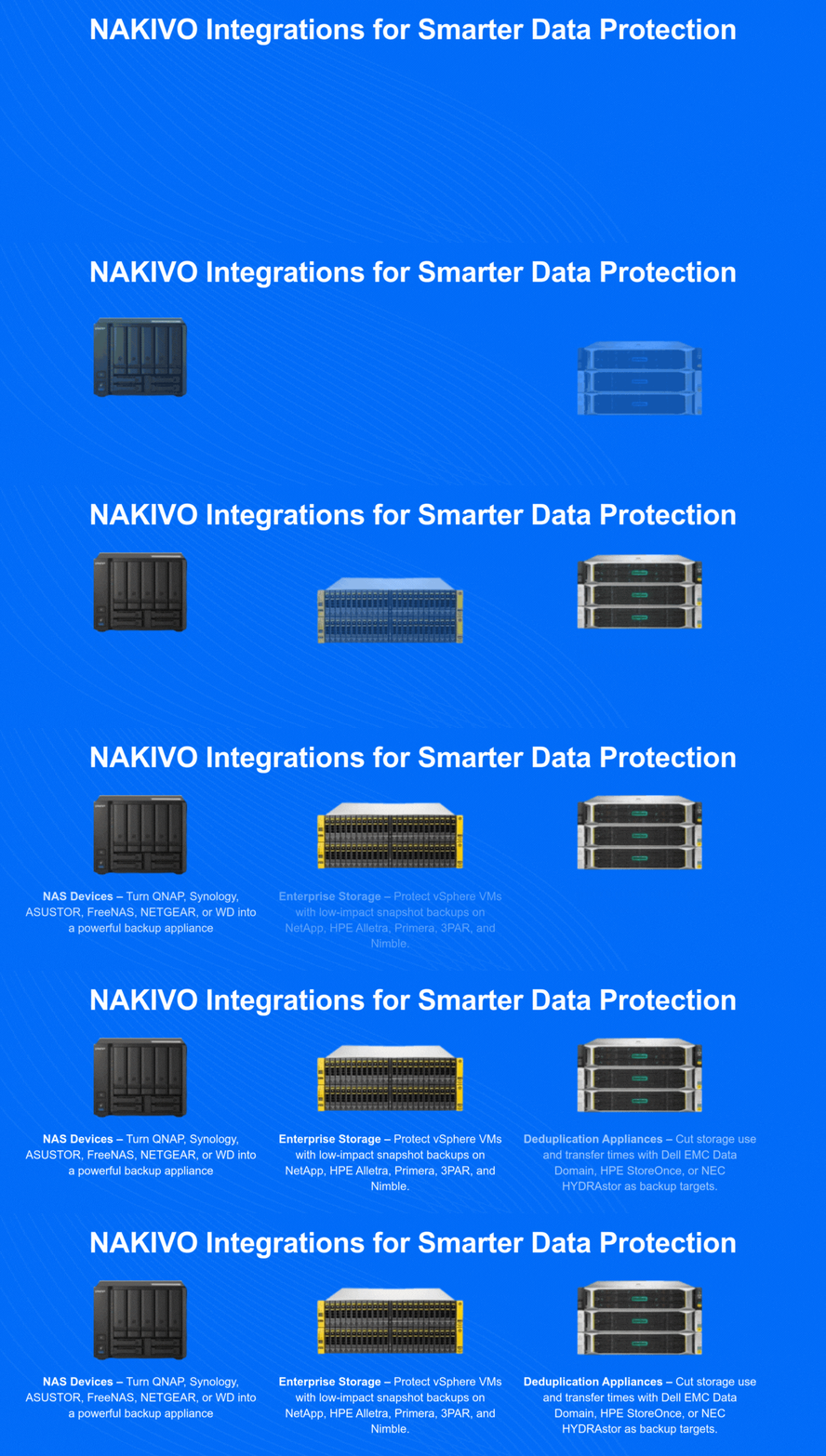
Avoid single points of failure by storing VMware backups across multiple targets. NAKIVO integrates with Amazon S3, Wasabi, Azure Blob, Backblaze B2, and other S3-compatible cloud storage options—as well as traditional offsite locations and tape.
Automated Backup Verification
Rest easy knowing your backups are recoverable. NAKIVO’s automated verification instantly tests VMware vSphere backups, confirming their validity for rapid recovery operations.
Built-In VM Replication
For high availability and uninterrupted operations, NAKIVO can replicate VMs directly from the source or from backups. This built-in replication ensures quick failover and business continuity when unexpected failures strike.
Perfect Fit for Enterprises and Mid-Sized Businesses
Whether you operate a single data center or a global footprint, NAKIVO scales easily and provides advanced automation, reporting, and role-based access controls—features enterprises need without enterprise-level complexity or cost.
NAKIVO Licensing and Editions
NAKIVO offers several editions tailored to different organisational sizes and requirements:
- Pro Essentials — Designed for small environments with up to 30 VMs, covering backup, replication, and instant VM recovery.
- Enterprise Essentials — Adds features like backup to tape, Oracle RMAN backup, and multi-tenancy support for mid-sized deployments.
- Enterprise Plus — The full feature set including site recovery orchestration, advanced bandwidth throttling, and granular restore for Microsoft 365.
All editions include VMware vSphere support from version 6.0 through to the latest vSphere 8.x releases. Licensing is per-socket (covering all VMs on a physical host) or per-VM, giving organisations flexibility to match their licensing model to their infrastructure size. Perpetual licences include one year of maintenance and support, with renewal options for ongoing updates.
Deployment Architecture for VMware Environments
NAKIVO can be deployed as a virtual appliance running directly on your VMware infrastructure, as a physical appliance on a dedicated server, or installed on a NAS device from manufacturers like QNAP, Synology, or ASUSTOR. For enterprise VMware environments, the recommended approach is to deploy the NAKIVO Director (management component) as a VM on a management cluster, with Transporters (data movers) deployed on each production cluster.
This distributed architecture ensures that backup traffic stays local to each cluster, reducing network congestion on inter-cluster links. Each Transporter communicates with the vCenter Server API to discover VMs, trigger snapshots, and read changed blocks via CBT. The backup data is then written to the configured repository — which can be a local NFS/SMB share, a StoneFly immutable storage appliance, or a cloud object store like Wasabi or Amazon S3.
Recovery Options Beyond Full VM Restore
While full VM recovery is the most common scenario, NAKIVO provides several granular recovery options that reduce downtime for specific failure types:
- Instant VM Recovery — Boot a VM directly from the backup repository in under 15 seconds, giving users immediate access while the full restore runs in the background. This is particularly useful for database servers or application servers where every minute of downtime has measurable financial impact.
- Granular Restore for Exchange and Active Directory — Recover individual mailboxes, emails, or AD objects without restoring the entire VM. This handles the common scenario of an accidentally deleted user account or a mailbox corrupted by a misconfigured rule.
- File-Level Recovery — Browse the backup and download individual files or folders through a web interface, without involving the VMware administrator.
- Cross-Platform Recovery — Restore a VMware VM to a Hyper-V or Proxmox host, which is useful during migration projects or when the original VMware infrastructure is unavailable.
Takeaway
For organisations that depend on VMware, backup and replication for VMware is a business-critical investment. NAKIVO Backup & Replication delivers the speed, efficiency, and resilience enterprises and mid-sized businesses need to stay online and compliant, no matter what challenges arise.
Get Started Today
Protect your VMware environment with NAKIVO’s powerful backup and recovery solution.
👉 Contact Cloud Ready Solutions to request a demo or speak with a local specialist about deployment and pricing.